Showing posts with label Google. Show all posts

Wednesday, March 28, 2012

Google Apps

I just spent $699 (of my school's money), to purchase 2 copies of Microsoft Office 2011 Home and Office Edition with a total of 4 licenses.  This just seemed ridiculous to me when we can pretty much do everything we need to for free on Google Apps.  Unfortunately, I haven't been able to convince my administration or staff that this is the way to go.  I think there is real fear in the idea that our "stuff" is stored as part of "the cloud" and that it might somehow disappear or security may be compromised.  In "Supporting 21st Century Learning Through Google Apps," Nevin (2009) points out that many schools are using Google Apps Education and some schools are even "dumping" their email programs in favour of gMail. (Nevin, 2009)  I can understand some hesitation about this when thinking about the nature of some of the emails we send - confidentiality is definitely a concern.  The optimist in me, however, says it must be safe if so many secondary and post secondary institutions are making this choice.

The cost saving measures for schools, as pointed out by Nevin (2009), can be significant. I think of the $699 I just spent and the time our tech support people spend on email issues, setting up accounts, and updating software.  Just today, I spent an hour configuring a laptop for a new staff member and I know that time could have been cut in half if I didn't have to do all the email account information and add Microsoft Office.

There are a lot of advantages to cloud computing and I am trying to introduce some of the basics to my students.  As I said in my inquiry update, my school uses Mac computers and many of our students have PCs.  Knowing how to use Google Docs is saving me as the librarian, and my students, a lot of time.  Before Google Docs, many students (and some still do) would come to me because they could not open their file at school.  Now, every time I help them, I also show them Google Docs.  Most of the students, like I was, are unaware that they already signed up for Google at some point in their internet explorations and thus Google Docs is only a "click" away.  I also tell them that they can just cut and paste a document from their word processing program into Google Docs to access it at school - this has a much higher success rate than emailing the document and sometimes even better than bringing it on a USB drive.


Google provides a multitude of ways for us to connect to each other and our work.  I am finding cloud computing more and more helpful as I use a laptop and desktop at school and then have another desktop at home.  Because my versions of OS on my desktops and laptop are not compatible with iCloud, Google Docs is functioning in the same way for me.  I like to work on the larger screen of my home desktop, so by saving my work in Google Docs I don't have to worry about my small USB drive or emailing the work to myself for school the next day.


In looking at my list, I realize that I forgot to mention, in my discussion of my inquiry into surveys and polls, that I also used Google Forms to create a survey for my library web site.  I just set up the initial form but did not finish creating my survey.  After thinking about my learning with Google Apps I think I will revisit this survey tool and reread some of the suggestions from the "Google Form Uses" shared document that I have saved.

As part of my introducing Google tools to my students, I always take the time to introduce the navigation tabs at the top of their Google search page.  Often they are only familiar with Images, and do not notice the other options available.


I haven't had an opportunity to explore Google Play yet, but it is interesting, and probably a good move that they took it from the "More" tab, to its own position on the navigation bar.  My quick browsing of this app seems to indicate that it is Google's answer to iTunes.    

Under the "Even More" tab, my favourite Google App is Google Scholar.
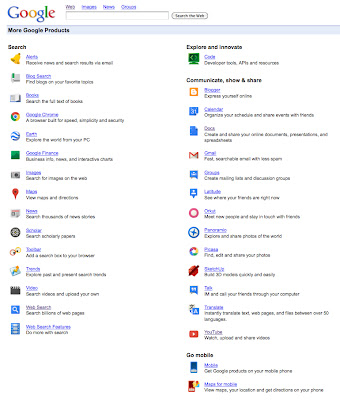


When I was teaching my English 12 students how to properly cite sources, we used Google Scholar as a source for documents on which to practice our citation skills.  It was also a great way for students to see the difference between a "regular" Google search, and the results they get in Google Scholar.  Of course this does not replace the access to post-secondary libraries but it offers results that are more credible than Wikipedia.

Another Google App that I am endeavoring to make part of my Web 2.0 world is Google Calendar.  I like the features of Google Calendar and that it is very similar to iCal, the program I am more frequently using.  I think the problem for me in adopting Google Calendar is that my Entourage email has a calendar feature and I also have iCal on my computers.  The need for a mobile device like an iPhone (ok, last shameless plug directed at my husband, LOL) is again an issue when thinking about a calendar program.  I think the reason I return to my handwritten notes in my hard copy daybook is because I have too many calendar options.

As mentioned by Nevin (2009),  Google Apps like the calendar tool, give users the opportunity to access their calendars wherever they have internet access or a mobile device with this ability.  Google calendar has the potential to be a great service for students who often do not write down due dates or deadlines, but always have their phones or iPods.  (Berger & Trexler, 2010)

One of the features I like about Google calendar is the colour coding and notification features.

I tend to favour the "pop-up" reminder over the email, but it depends where I think I will be when I schedule the reminder - the great thing is, I can also choose both.

The funny thing about all of the calendar options I use and have explored is that I still rely on a "traditional" book style, one-month view calendar at home.  Perhaps if I had a computer screen built into the cupboard in my kitchen that tends to be the "hub" of our home, I would move to a digital calendar for our home, but right now that is not an option and the home computer in our office is not accessible enough for this purpose.

I feel that I still have a lot more exploring to do with Google Apps.  Like most of the other tools in my inquiry, one exploration leads to another, and another, and another.  I found that Google was changing as I was learning, and that I sometimes had to be willing to abandon a previous tool if I wanted to truly adopt the new Google tool.  One of the most important things I am taking away from my exploration of Google Apps is the possibility of it replacing some or all of our software programs at school.  I see this as a cost and time saving measure and a way to alleviate some of the pressure on me to be a technology goddess.  (Although I do love it when I can solve a technology related issue for a staff member just by entering a room, which has happened on a few occasions - my magic teacher-librarian wand I tell them.)


References:

Barack, L. (2010). Schools Opt for Google Apps. School Library Journal, 56(6), 12.

Berger, P. & Trexler, S. (2010). Choosing Web 2.0 tools for learning and teaching in a digital world.
     Santa Barbara, CA: Libraries Unlimited.

Nevin, R. (2009). Supporting 21st Century Learning Through Google Apps. Teacher Librarian,  
     37(2), 35-38.

Richardson, W. (2010). Blogs, wikis, podcasts, and other powerful web tools for classrooms.
     Thousand Oaks, CA: Corwin.

Sunday, February 19, 2012

History of Social Media

Thanks for posting this Joanne Mc. - I hope you don't mind that I am sharing it here but I think it is a great visual for what we are doing in this course.

Wednesday, February 15, 2012

Progress Update or... inquiry leads to inquiry leads to inquiry...

Well, if I have learned anything in this inquiry project so far it is that inquiry leads to more inquiry.  I sit down ready to post and comment on my learning or to explore one of my inquiry choices and I end up blurry eyed from "clicking" from one site to the next.  Just before beginning this post I was sidetracked by a classmates mention of festisite and had to go check it out.  I actually had to talk myself down from playing on the site so I could complete a more substantial post on my learning blog today, LOL.

This week's small group discussion topic lead me to make some changes in how I am organizing my Web 2.0 world.  Admittedly, I am a "bookmarks" fan - but I just use the bookmarks bar to have easy visual access to the places I visit most.  I had been using my learning blog for this class and LIBE 465 to store links to my classmates' blogs in each class.  Because of my increased PLN, mostly due to Twitter, I realized I was not keeping up with what was happening.

I am a very visual person and need to "see" the links and sites I want to visit regularly.  I signed up for Delicious a year ago, but after the initial set-up and two days of adding "bookmarks" I quickly forgot about it and found it inconvenient.  But alas, I had an AHA moment this week.

I was researching RSS feeds and thought I would check out Google reader.  When I "clicked" the option, lo and behold I am already signed in and there is a list of the class blogs I had subscribed to!  Who knew?  This demonstrated to me how blind I have been to what I am already involved with in the Web 2.0 world.  I did not understand what "subscribe to this blog" meant or that I could easily access this information with one more "click."

Knowing my visual nature I was still concerned that the Google reader feeds required that I go to that Google page, but wait, what's this iGoogle?  Click!  AAAHHHHH, the heavens opened...  This is the answer I have been looking for.  I can add widgets for the things I check regularly and I can make it my Internet home page so it is "in my face" every time I log on.
I know that I need to "live" with this new tool for a bit to get it set up to best meet my needs, but so far I am really liking this organizational tool. (Although it wasn't originally part of my inquiry I think it is a great link for all of the items I am learning about.)  I just added the Google calendar widget today and the Google reader widget is awesome!  I know that I need to be careful not to add too many widgets or this tool might become more of a burden - although I'm not sure I can get rid of the "Hangman" game that Google already had on there, LOL.

I will definitely be introducing iGoogle to a couple of my staff "mentees" for their home pages.  I think they will find this a great way to organize their online social networking.

Sunday, January 29, 2012

Inquiry Project Proposal


I am excited to do this inquiry project as it is giving me an “excuse” to play with many Web 2.0 tools that I have wanted to explore.  I am a very hands-on learner and learn best by doing.  I am not afraid of technology – thanks in part to the “back” or “undo” buttons :) - but often I can get in a rut of resorting to the things I know best.  I have been an active blogger for educational reasons for a year and have begun to explore web site design and social media applications for use in my school.  I have also had to quickly learn the ins and outs of our school computers and server since I became the librarian at the start of the school year.  I consider myself an “intermediate” when it comes to this inquiry project.

I have created a Google calendar for this assignment and have posted it on my blog.  I plan to update my progress with this assignment once a week, although I hope to post quick “reaction” posts when I try something new.  I will update the calendar with specific “tasks” as I do them.

With this inquiry I hope to:
•  become comfortable enough with the tools I am exploring to use them regularly – or perhaps realize they are not suited to my needs but I will at least understand why
•  become a technology go-to person in my school and offer mentorship for those who are interested in trying similar tools
•  improve the learning environment and opportunities for my students by offering different experiences and options for their education
•  create a Personal Learning Network (PLN) where I can continue to grow as an educator


Web 2.0 Tools to explore:

•  Twitter  - I signed up for Twitter on January 8, 2012.  My good friend Maureen Parker, who is the Director of Curriculum in the Battle River School Division has been urging me for about a year but I was resistant.  I was not aware, nor convinced, of the educational value of this tool.  Already I am seeing I was wrong.  For my inquiry I plan to begin by learning about the workings of Twitter, including how to use hashtags, “twitter speak,” and other tools to make Twitter effective.  I am already “following” many interesting people on Twitter and I would like to expand and in some cases, edit that list.  By the end of my inquiry I hope to have a routine with regards to posting, reading and sharing.  At this point I see my Twitter learning being focused on personal professional use but I then hope I can explore how I might use this tool in the classroom and library.

•  Google Apps for Education – I was familiar with some of the Google apps like calendar and documents but I did not know there was a specific section directed at education.  I like the idea that by using these apps students and I will have access to our materials regardless of our computer operating system.  I also like that students can work on things collaboratively.  I plan to begin by taking part in the online training Google has available.  I am then hoping to make use of the apps in “real” situations – such as creating my timeline on a Google calendar for this project.

•  Kidblog.org (and possibly other sites for student blogs) – I have been thinking about student blogging for about a year but have struggled with finding the “easiest” way to go about it.  I was concerned that getting students to set up their own blogs and then monitoring that would become too complicated.  A friend who teaches elementary school is using Kidblog.org so I thought this would be a good place to start.  I am already impressed with how easy it was to set up and that I could create the pages for all my students so they are now ready to go.  I am going to start with this platform but as I do my inquiry I also want to explore other options and compare features.  My hope is to be partially paperless for my English 12 classes in the 2012/2013 school year so I feel this is a good time to experiment.  I also have two awesome classes this year that I know will be willing to “play” with this tool with and for me.  I hope to include some of their feedback on my inquiry blog as part of my demonstration of learning.

•  Poll/Survey tools – I have wanted to include surveys and polls on our school and library web site so I think this is the perfect opportunity to do so.  I hope to try several options and will begin with “free” services.   I think this will be a fun tool to try but I also want to make sure it isn’t “too much” in the sense that polls and surveys are ignored because they are happening all the time.  I would like to explore other school uses for this kind of polling and see what appears to be the most effective.

•  RSS and Blog Aggregators – There is a widget for RSS on my Wordpress class blog but I honestly did not know what it meant.  I thought it had something to do with following my blog on a handheld device like a cell phone.  This will be one inquiry item that I know nothing about before I begin.  (Although I do know now that RSS stand for Really Simple Syndication.)  I need to do some research on RSS and I plan to share my findings and understanding on my blog.  Hopefully, by the end of the inquiry, I will be using RSS.

•  iPad – As I mentioned in a current event discussion post, the previous librarian at my school purchased an iPad at the end of last year before he retired and it has been virtually unused since.  I want to learn more about the iPad personally and then explore educational use options.  I did find it very convenient the other day when I was dealing with a computer that wasn’t working.  I could search for help on the iPad while I was working on the desktop computer.  I plan to watch many of the user videos and even try reading a book on the iPad so that I can better understand how it works and how our students and/or staff can use this tool.  I will post my reflections and experiences on my blog as well as good and bad apps that I find.

•  Social networking mentorship – I was the first staff member at my school to begin using a blog as a teaching tool.  I began last year by creating a blog where students can find out what we did in class that day, get any handouts or presentations that were given, and also where I could share interesting visuals, books I am reading, and links to educational sites or information.  This has been an incredible time saver for me as I no longer have to send stuff to the office for absent students, and parents can see what is going on in class any time.  I presented this tool at a staff meeting last year and there are now several other staff members who have created class blogs for this purpose.  Others have also added Facebook pages and Twitter to supplement this communication tool.  I would like to continue this “mentoring” role by getting my principal more connected to the Web 2.0 world.  She approached me about helping her set up a blog and I would like to work  with her to make it a success.  I plan to help her have a vision for the blog, get her comfortable with the platform she chooses, and also provide prompts and reminders to post regularly.  She has a Twitter account but has not tweeted since it was set up.  (I suspect it was a District Administrators’ pro-d activity set up by Chris Wejr who is a principal in our district and a “mover and shaker” in the Web 2.0 world – but many of the administrators did not follow through after the initial introduction to Twitter.)  I will provide a link to her blog on my inquiry blog and also ask her to provide feedback about the process – maybe even as a “guest blog post” on my blog.